Daily Newsletter: Sustainable Wildlife Marketing Insights – August 9, 2026
Daily briefing : August 9, 2026
Focus: Guest photography as a conservation storytelling tool.
Visitor photos are more than social content.
Used well, they can support:
- Exhibit education
- Conservation campaigns
- Donor reports
- Membership communications
- Community engagement
- Visitor research
The key shift:
From passive marketing metrics to conservation-linked outcomes.
Photo views still matter.
They are not the final result.
The stronger question:
Did the image help people understand a conservation issue, remember a solution, or take a useful next step?
The metric shift
Traditional marketing reports often focus on:
- Reach
- Impressions
- Likes
- Shares
- Follower growth
- Clicks
These numbers show attention.
They do not always show understanding or action.
A conservation-linked report can connect guest photography to:
- Time spent with an educational display
- Scans of a conservation QR code
- Sign-ups for a wildlife program
- Attendance at a keeper talk
- Donations to a named project
- Membership renewals
- Responses to a visitor survey
- Repeat engagement with a species story
Keep the reporting simple.
For each photo campaign, define:
- Species
- Conservation issue
- Visitor action
- Evidence to track
Example:
- Species: Red panda
- Issue: Forest habitat loss
- Action: Learn how habitat protection supports red pandas
- Evidence: QR scans, exhibit interaction, survey responses
Photo volume is not conservation impact.
It is only the starting point.
Guest photography belongs beyond social media
Social platforms are useful.
They are not the only destination for visitor images.
Facilities can reuse approved guest photos in several places.
Educational signage
A visitor photograph can make an exhibit message feel local and immediate.
Use it beside:
- A species fact
- A habitat map
- A conservation challenge
- A solution already in progress
- One clear visitor action
Keep the caption short.
Avoid turning the sign into a campaign poster.
The image should support the lesson.
It should not compete with it.

Donor reports
Donors need to see where support goes.
Guest photography can show community attention around a conservation program.
Use approved images to introduce:
- A habitat restoration update
- A breeding or reintroduction program
- A field partnership
- An education activity
- A measurable project milestone
Pair each image with three short details:
- The challenge
- The work
- The result so far
Do not imply that a visitor photo proves a project succeeded.
Use it to show participation and public connection.
The conservation result should come from verified program information.
Membership communications
A member newsletter can include a rotating “guest view” section.
Possible formats:
- One photo
- One species fact
- One conservation update
- One next step
This creates a regular link between the visit and the mission.
Annual reports
Guest images can show the public side of conservation work.
Use them in sections covering:
- Education
- Community participation
- Species protection
- Accessibility
- Public learning
- Campaign response
Maintain a clear distinction between:
- What the visitor saw
- What the facility did
- What changed
That distinction builds trust.

A practical conservation story structure
A useful visitor photo does not need a complicated campaign.
Use this four-part structure:
1. Start with the animal
Name the species.
Show its behavior, setting, or visible character.
Avoid generic wording such as “Save wildlife.”
Specific stories are easier to understand.
2. Explain the issue
Use one clear conservation problem.
Examples:
- Forest loss
- Plastic pollution
- Illegal wildlife trade
- Water scarcity
- Habitat fragmentation
- Declining food sources
Do not list every threat.
Choose the issue most relevant to the story.
3. Show the response
Explain what people are doing.
This could include:
- Habitat protection
- Field research
- Community partnerships
- Rescue and rehabilitation
- Species monitoring
- Sustainable fishing practices
- Reforestation
The response should be specific.
4. Give one next step
The visitor needs a clear option.
Examples:
- Read the full species guide
- Scan for the field project update
- Attend a keeper talk
- Share the conservation message
- Sign up for a facility program
- Learn about responsible purchasing
One action is enough.
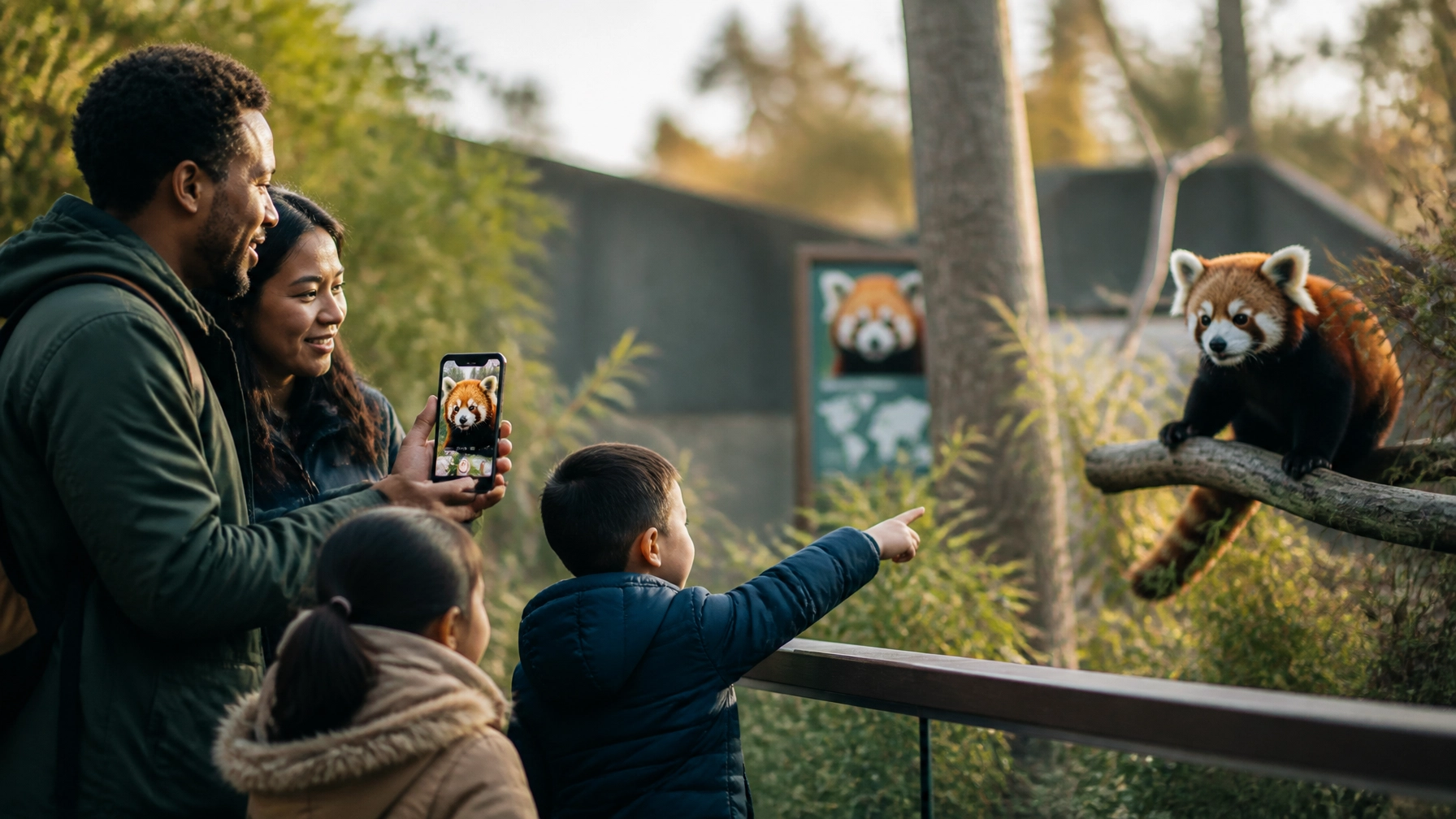
Example: red pandas as an engagement measure
Red pandas are a useful example because they attract attention quickly.
They can serve as an entry point to a broader story about forests, biodiversity, and habitat protection.
The following workflow can be adapted to other ambassador species.
At the habitat
Invite visitors to share an image through an approved facility system.
The prompt should connect the photo to the message.
For example:
- “Share your red panda moment.”
- “Learn how forest habitat supports red pandas.”
- “See the conservation work behind this exhibit.”
Keep the language direct.
Avoid forced challenges or artificial contests.
During collection
Ask for clear permission before using an image.
Record:
- Visitor consent
- Image date
- Location
- Species
- Intended use
- Photographer credit, if requested
Exclude images showing unsafe or unsuitable behavior.
No tapping on glass.
No feeding.
No close contact outside approved settings.
The animal’s welfare comes first.
In the exhibit
Select a small group of photos.
Place them beside a short message:
- Red panda habitat depends on healthy forests.
- Forest protection supports many species.
- Learn about the work protecting these ecosystems.
Add one QR code.
Link it to a verified conservation page.
In the report
Track the campaign across several points:
- Number of approved photos
- Number of visitors who opted in
- Exhibit QR scans
- Time spent on the linked page
- Survey responses
- Program sign-ups
- Donations or other defined actions
Compare results with the previous version of the display when possible.
Do not claim that every interaction equals a change in behavior.
Report what the data shows.
After the campaign
Send a short follow-up to participating visitors.
Include:
- Their photo, if appropriate
- A conservation update
- One verified result
- A next step
This closes the loop.
The visitor sees that participation led to a meaningful story, not just another post.
For additional species inspiration, explore Zoo Imagery’s pandas collection.
How to keep the work from feeling gimmicky
Guest photography can lose trust when the image becomes the entire message.
Use these guardrails.
Keep the conservation purpose visible
The photo should answer:
Why is this image being used?
If the answer is only “because it performed well,” the story needs more work.
Use fewer images
A small, well-curated selection is stronger than a large gallery with no clear message.
Choose photos that show:
- Respectful observation
- Real attention
- Diverse visitors
- The animal in a natural setting
- A connection to the exhibit topic
Avoid exaggerated claims
Do not suggest that:
- A share saved a species
- A photo directly restored habitat
- A visitor interaction guarantees future support
Use plain language.
“Helped more visitors find the conservation guide” is stronger than “changed the future of wildlife.”
Show progress, not perfection
Conservation work is ongoing.
A credible story can say:
- What is known
- What is being done
- What remains difficult
- How the public can learn more
This approach matches the principles behind visual conservation projects such as National Geographic’s Photo Ark, where species photography supports wider public awareness.
Protect visitor rights
Create a clear process for:
- Consent
- Withdrawal requests
- Photo credits
- Minors
- Accessibility
- Data storage
- Internal review
Make the policy easy to find.
A simple operating model
Start with one species.
Start with one message.
Start with one channel beyond social media.
A first pilot could include:
- One red panda or similar ambassador species
- One exhibit sign
- One guest photo collection period
- One conservation landing page
- One donor report section
- Three engagement measures
Review the results after four to six weeks.
Ask:
- Did visitors notice the conservation message?
- Did the photo help explain the issue?
- Which action did visitors take?
- Did the story work in print and digital formats?
- Did staff find the process manageable?
- Were consent and welfare standards followed?
Then improve the next version.

Summary checklist
Before launching a guest photography conservation story:
- Choose one species
- Define one conservation issue
- Set one visitor action
- Create a clear consent process
- Screen images for welfare and safety
- Use photos beyond social media
- Pair every image with verified context
- Track engagement and action separately
- Report limitations honestly
- Close the loop with participants
- Review the story after the campaign
Guest photography works best when it is treated as shared communication.
Not decoration.
Not a substitute for conservation reporting.
A bridge between the visitor experience and the work that follows.
Make every visitor image work harder
Zoo Imagery supports animal-focused storytelling with high-resolution photography in landscape and portrait formats.
The ZooMedia.us picture marketing solution helps zoos and aquariums share guest photos, build user-generated content, and review real-time engagement results.


