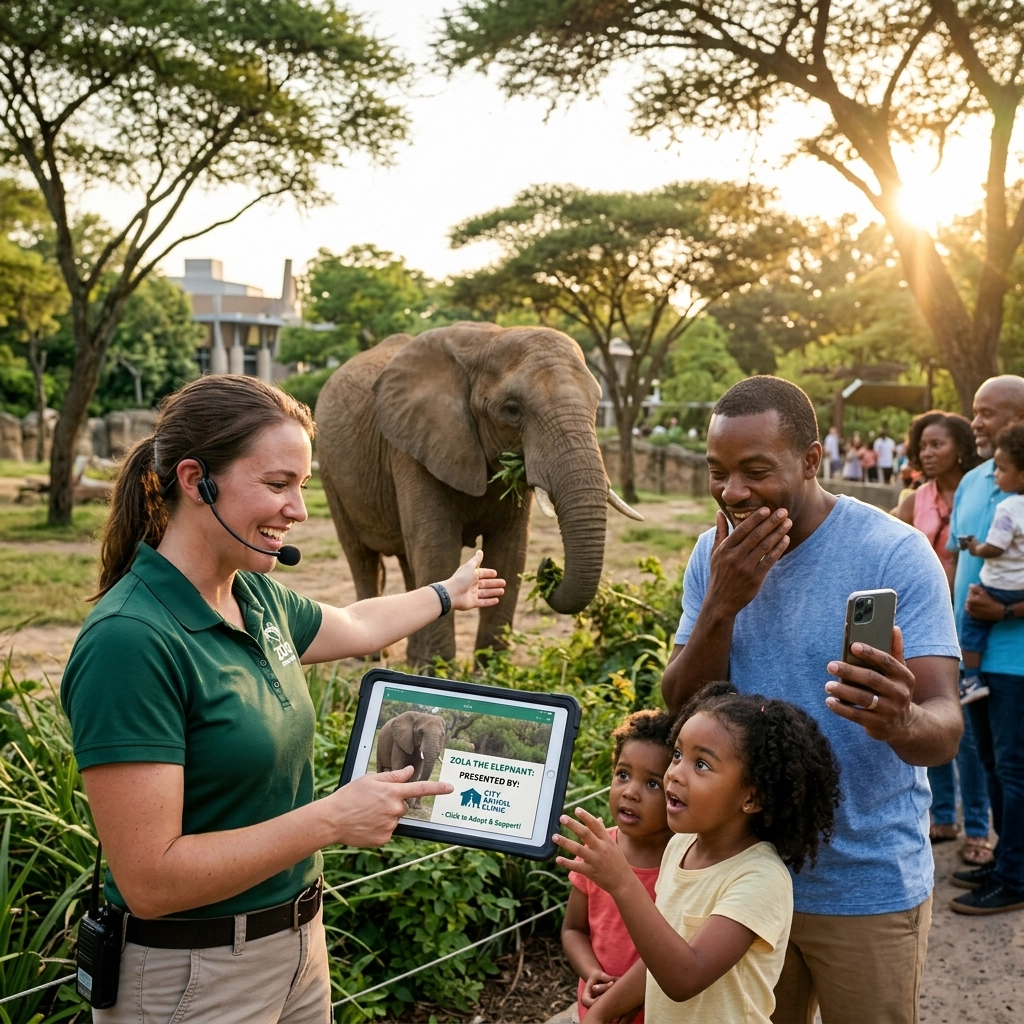
5 Steps How to Launch “Presented By” Animal Pages and Drive Zoo Engagement (Easy Guide)
Digital engagement is no longer optional for modern zoos. Visitors want to connect with animals before they arrive and long after they leave. One of the most effective ways to bridge this gap is through "Presented By" animal pages.
These pages do two things well: they provide a platform for corporate sponsors and create a deep, personal connection between the visitor and a specific animal.
Here is a 5-step guide to launching these pages efficiently.
1. Define the Strategy
Before building, establish the framework. This isn't just a bio page. It is a marketing and conservation tool.
Identify your goals:
- Increase sponsorship revenue.
- Highlight conservation efforts.
- Drive repeat visits.
- Boost email sign-ups.
Set the sponsorship rules:
- Logo placement: Header or footer?
- Recognition duration: 12 months?
- Exclusivity: One sponsor per animal or a pool?
Select your "Hero" animals:
Start with 5 to 10 animals that already have a high public profile. This makes the initial launch easier and more attractive to potential partners.
Choose species with strong stories. A rescued animal or a successful breeding program adds emotional depth.

2. Create a Universal Template
Consistency is key. You need a template that works for every species, from birds to polar bears. A standard layout allows your team to roll out new pages quickly.
Essential Page Sections
The Hero Header
Use high-resolution photography. This is the first thing a visitor sees. It should be an intimate, professional shot that captures the animal's personality. Include the sponsor’s logo clearly but tastefully.
Meet the Individual
Avoid generic species facts here. Focus on the specific animal at your zoo.
- Name, age, and sex.
- Personality quirks (e.g., "Kito loves playing with burlap sacks").
- A "keeper's note" to add a human touch.
In the Wild vs. At the Zoo
Briefly explain the status of the species in the wild. Use data from conservation partners. Then, pivot to how your zoo provides world-class care. Discuss enrichment programs and veterinary excellence.
The "Your Impact" Block
This is your call to action. Tell the reader exactly how their support helps.
- "Your donation provides wild tigers with specialized nutrition."
- "Support helps us maintain habitats for our hyenas."
The Sponsor Spotlight
Give the sponsor space to explain why they support the zoo. Link to their website. This provides tangible value for their ESG (Environmental, Social, and Governance) goals.

3. Source High-Quality Visual Content
A "Presented By" page lives or dies by its imagery. Low-quality, cell phone photos won't attract high-tier sponsors. Professional stock photography and curated zoo media are essential.
Photography Checklist:
- One "Portrait" shot (eye contact).
- One "Action" shot (feeding or playing).
- One "Habitat" shot (showing the environment).
Zoo Imagery provides a library of professional media specifically for these needs. Using high-end assets ensures the page looks premium, which justifies sponsorship rates.
SEO Basics:
Don't forget the technical side.
- Use descriptive URL slugs:
/meet-the-animals/kito-the-lion. - Add Alt-text to all images.
- Include the sponsor's name in the meta description to help them show up in search results.

4. Bridge the Digital and Physical Gap
The most effective "Presented By" pages are discovered while the visitor is standing right in front of the animal exhibit.
QR Code Integration
Place QR codes on the physical signage at the enclosure.
- Action: "Scan to see what Kito does when the zoo is closed."
- Result: The visitor is taken directly to the animal's unique page.
This creates an immediate "second screen" experience. While they watch the animal, they read about its personality, watch a short clip of it as a cub, and see who sponsors its care.
Launch Campaign Tactics:
- Social Media: Feature one animal per week. Tag the sponsor. Link to the dedicated page.
- Email Marketing: Send a "New Resident Spotlight" email to your membership list.
- On-Site Promotion: Mention the pages during keeper talks or educational presentations.

5. Maintain and Measure
Static pages become stale. To keep engagement high and sponsors happy, you must treat these as living documents.
Monthly Updates
Add one new photo or a 15-second "update" paragraph every month.
- "Luna the Polar Bear just got her first ice treat of the summer!"
- "The birds in our aviary are starting their nesting season."
Data Reporting for Sponsors
Sponsors want to see the ROI. Provide them with a simple quarterly report:
- Total page views.
- Average time spent on the page.
- Number of QR code scans from the exhibit.
- Click-through rates to the sponsor’s website.
This data makes the renewal conversation much easier. It proves the partnership is reaching a localized, engaged audience.
Why This Works
"Presented By" pages move the needle because they humanize the animals and provide a clear path for support. They turn a passive visitor into an active participant in the zoo’s mission.
By following these five steps, you create a sustainable system that drives revenue, educates the public, and celebrates the animals in your care.
If you need high-quality imagery to populate your new animal pages, browse our collection at Zoo Imagery. We specialize in stock photography that tells a story.
Ready to start?
Check out our latest press updates or connect with us on LinkedIn to see how other zoos are using digital media to drive growth.


